

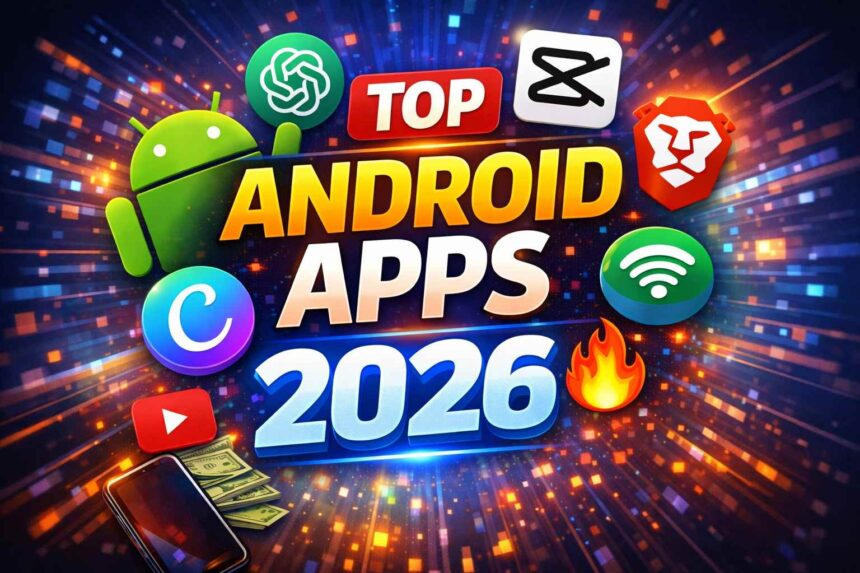

In 2026, Android apps are smarter, faster, and more useful than ever. In this guide on Top 10 Android Apps You Must Try in 2026, you’ll discover powerful apps that can completely transform how you use your smartphone.
From AI-powered tools that help you write, learn, and automate tasks to apps that enable you to earn money online and boost productivity, the Android ecosystem is evolving at a rapid pace. With millions of apps available on the Google Play Store, choosing the right ones can often feel overwhelming.
Many websites simply repeat outdated lists, recommending apps that are either overhyped or no longer useful. That’s exactly what makes this guide different.
In this article, you’ll explore 10 powerful Android apps you must try in 2026, carefully selected based on real usability, current trends, and practical benefits. Whether you’re a student, content creator, freelancer, or someone looking to improve daily productivity, these apps can truly enhance your smartphone experience.
If you want to explore more AI tools, check out our guide on Best AI Tools for Beginners in 2026 (Free & No Coding Guide).
Quick Answers
1. What are the best Android apps in 2026?
The best Android apps in 2026 include ChatGPT, Notion, Canva, CapCut, and Brave Browser. These apps improve productivity, content creation, learning, and privacy, making them essential for everyday use.
2. Which Android app is most useful in 2026?
ChatGPT is one of the most useful Android apps in 2026 because it helps with writing, studying, coding, and daily productivity tasks using advanced AI features.
3. What are must-have apps for Android users?
Must-have Android apps include ChatGPT, Notion, Canva, CapCut, and Google Keep. These apps help users stay organized, create content, and improve daily productivity.
4. Which apps help earn money online in 2026?
Apps like ChatGPT, Canva, and CapCut help users earn money through freelancing, content creation, and social media. These tools are widely used for online income.
📱 Why Choosing the Right Apps Matters in 2026
Your smartphone is no longer just a communication device — it has become a powerful digital tool that supports almost every aspect of your life.
Today, your phone acts as your:
- Workstation 💻
- Income source 💰
- Learning platform 📚
- Entertainment hub 🎬
Choosing the right apps can significantly improve how efficiently you use your phone.
✅ Benefits of Using the Right Apps
- Save time by automating daily tasks
- Improve productivity with smart tools
- Learn new skills without spending money
- Earn money online through content and freelancing
- Stay organized with minimal effort
❌ Risks of Installing Wrong Apps
- Slows down your device
- Drains battery quickly
- Wastes your time
- Puts your privacy at risk
That’s why selecting the Top 10 Android Apps You Must Try in 2026 is more important than ever.
For a deeper look, check our detailed iPhone 17 Pro review to understand how it performs in real-world use.
🚀 Top 10 Android Apps You Must Try in 2026
1. ChatGPT
ChatGPT is one of the most powerful AI applications available today. It helps users perform a wide range of tasks, from writing content to solving complex problems.
🔑 Key Features:
- Instant answers to questions
- Blog writing and content generation
- Coding assistance
- Study support
- Resume and email writing
💡 Real-Life Use Cases:
- Students use it for homework and explanations
- Bloggers generate content ideas
- Freelancers write client work
- Professionals create emails and reports
⭐ Why You Should Use It:
It acts like a smart personal assistant that saves time and boosts efficiency.
2. Notion
Notion is an all-in-one productivity platform that helps you organize your work and life in one place.
🔑 Key Features:
- Notes and task management
- Project planning tools
- Custom templates
- Cross-device synchronization
💡 Use Cases:
- Students manage study schedules
- Teams track projects
- Bloggers organize content plans
⭐ Why Use It:
It replaces multiple apps and keeps everything organized.
3. Canva
Canva makes graphic design simple and accessible for everyone.
🔑 Key Features:
- Ready-made templates
- Social media post creation
- Thumbnail maker
- AI design tools
💡 Use Cases:
- YouTube thumbnails
- Instagram posts
- Marketing designs
⭐ Why Use It:
Create professional designs without any design skills.
4. CapCut
CapCut is a powerful and easy-to-use video editing app for creating engaging short videos.
🔑 Key Features:
- Drag-and-drop editing
- Effects and filters
- Auto captions
- AI video tools
💡 Use Cases:
- Reels and Shorts
- Social media videos
- Viral content
⭐ Why Use It:
Perfect for beginners and creators.
5. Google Keep
Google Keep is a fast and lightweight note-taking app.
🔑 Key Features:
- Quick notes
- Voice input
- Reminders
💡 Use Cases:
- Daily planning
- Quick ideas
- Shopping lists
⭐ Why Use It:
Simple, fast, and reliable.
6. Kinemaster
Kinemaster is designed for advanced mobile video editing.
🔑 Key Features:
- Multi-layer editing
- Green screen
- Audio editing
💡 Use Cases:
- YouTube editing
- Professional videos
⭐ Why Use It:
Best for high-quality editing.
7. Duolingo
Duolingo is one of the best apps for learning new languages.
🔑 Key Features:
- Interactive lessons
- Daily challenges
- Gamification
💡 Use Cases:
- Learning English
- Improving vocabulary
⭐ Why Use It:
Makes learning fun and effective.
8. Truecaller
Truecaller helps identify unknown callers and block spam.
🔑 Key Features:
- Caller ID
- Spam blocking
- SMS filtering
💡 Use Cases:
- Avoid fraud calls
- Identify unknown numbers
⭐ Why Use It:
Improves safety and control.
9. Microsoft Lens
Microsoft Lens turns your smartphone into a portable scanner.
🔑 Key Features:
- Document scanning
- PDF conversion
- OCR technology
💡 Use Cases:
- Notes scanning
- Document sharing
⭐ Why Use It:
Very useful for students and professionals.
10. Brave Browser
Brave Browser offers fast and secure browsing with built-in privacy features.
🔑 Key Features:
- Ad blocker
- Faster loading
- Privacy protection
💡 Use Cases:
- Safe browsing
- Data saving
⭐ Why Use It:
Perfect for privacy-conscious users.
Pros and Cons of Popular Android Apps in 2026
👍 Pros:
- Most apps are easy to use, even for beginners
- Many apps offer free versions with useful features
- AI-powered tools help save time and increase productivity
- Apps support learning, earning, and content creation
👎 Cons:
- Some apps require a premium subscription for full features
- Too many apps can slow down your device
- Certain apps may require internet connection
- Privacy concerns if permissions are not checked properly
CapCut vs Kinemaster: Which One is Better?
Choosing between CapCut and Kinemaster depends on your needs:
- CapCut:
- Beginner-friendly
- Easy to use
- Best for short videos (Reels, Shorts)
- Kinemaster:
- Advanced editing features
- Multi-layer support
- Better for professional video editing
👉 If you’re just starting, go with CapCut.
👉 If you want advanced control, choose Kinemaster.
🧠 How to Choose the Best Apps for You
Choose apps based on your goals and daily needs:
📚 For Students:
- ChatGPT
- Notion
- Duolingo
💰 For Earning:
- Canva
- CapCut
- ChatGPT
🎥 For Content Creators:
- CapCut
- Kinemaster
- Canva
📊 For Productivity:
- Notion
- Google Keep
⚡ Pro Tips for Android Users in 2026
- Install only essential apps to keep your device fast and clutter-free
- Always check app permissions before installing or updating
- Keep your apps updated to ensure better performance and security
- Avoid downloading apps from unknown or untrusted sources
🔥 Future Trends of Android Apps (2026 & Beyond)
The Android app ecosystem is evolving rapidly, driven by continuous innovation and smarter technologies.
🤖 AI Integration
Artificial Intelligence is transforming modern applications, making them smarter, more efficient, and highly responsive to user needs.
📊 Personalization
Many platforms now deliver personalized experiences by analyzing user behavior, preferences, and usage patterns.
⚡ Speed & Performance
Developers are optimizing applications to run faster, smoother, and efficiently across both high-end and low-end devices.
🔒 Privacy & Security
With increasing digital usage, protecting user data has become a top priority, leading to stronger privacy controls and enhanced security features.
Emerging Android App Trends You Should Watch
Beyond the current trends, here are a few emerging innovations:
- Voice-Controlled Apps: Apps that respond to voice commands are becoming more popular
- No-Code Tools: Users can build apps or websites without coding knowledge
- AI Automation Apps: Apps that automate daily tasks like scheduling and content creation
- Super Apps: One app handling multiple services like payments, shopping, and messaging
👉 These trends show how Android apps are becoming more powerful and user-friendly.
Final Insight
The future of Android apps is driven by intelligence, speed, and security. Applications that successfully combine these elements will lead the market and deliver better, smarter experiences for users.
📝 Final Thoughts
These are truly the Top 10 Android Apps You Must Try in 2026 if you want to boost productivity, save time, and enhance your digital lifestyle.
Instead of filling your phone with unnecessary apps, focus on tools that genuinely add value. Start with a few from this list and gradually build a smarter, more efficient smartphone experience.
👉 Start using these apps today and unlock the full potential of your device.
❓ FAQs
Q1. Which is the best Android app in 2026?
ChatGPT is one of the best due to its powerful AI capabilities.
Q2. Are these apps free?
Most offer free versions with optional premium features.
Q3. Which apps help earn money?
ChatGPT, Canva, and CapCut are useful for earning online.
Q4. Best apps for students?
Notion, Duolingo, and ChatGPT are excellent choices.
Q5. Are these apps safe?
Yes, they are trusted and widely used.
Q6. How many apps should I install?
Install only necessary apps for better performance.